
Why I built `tmux.nvim`
A small tmux zoom-mode quirk, nested TUIs inside Neovim, and the reason I built `tmux.nvim` to make pane navigation stop flickering.
29 May 2026•4 min read
tmux
neovim
tooling
I ran into a small tmux quirk that turned into a surprisingly annoying problem.
Most of the time, pane navigation in tmux feels fine. But when I was navigating from Neovim, I kept noticing a tiny flicker. At first, it seemed harmless — just one of those terminal oddities you learn to live with.
Then I started opening TUIs inside Neovim.
That changed everything.
In my case, the biggest offender was lazygit. I use it a lot inside Neovim, and every time tmux tried to figure out whether there was a pane in a given direction, that tiny resize became visible inside the nested TUI. What was barely noticeable in normal navigation suddenly looked broken. The UI would glitch for a moment, and once you see it, you can’t really unsee it.
That was the exact reason I created tmux.nvim.
The glitch, visually
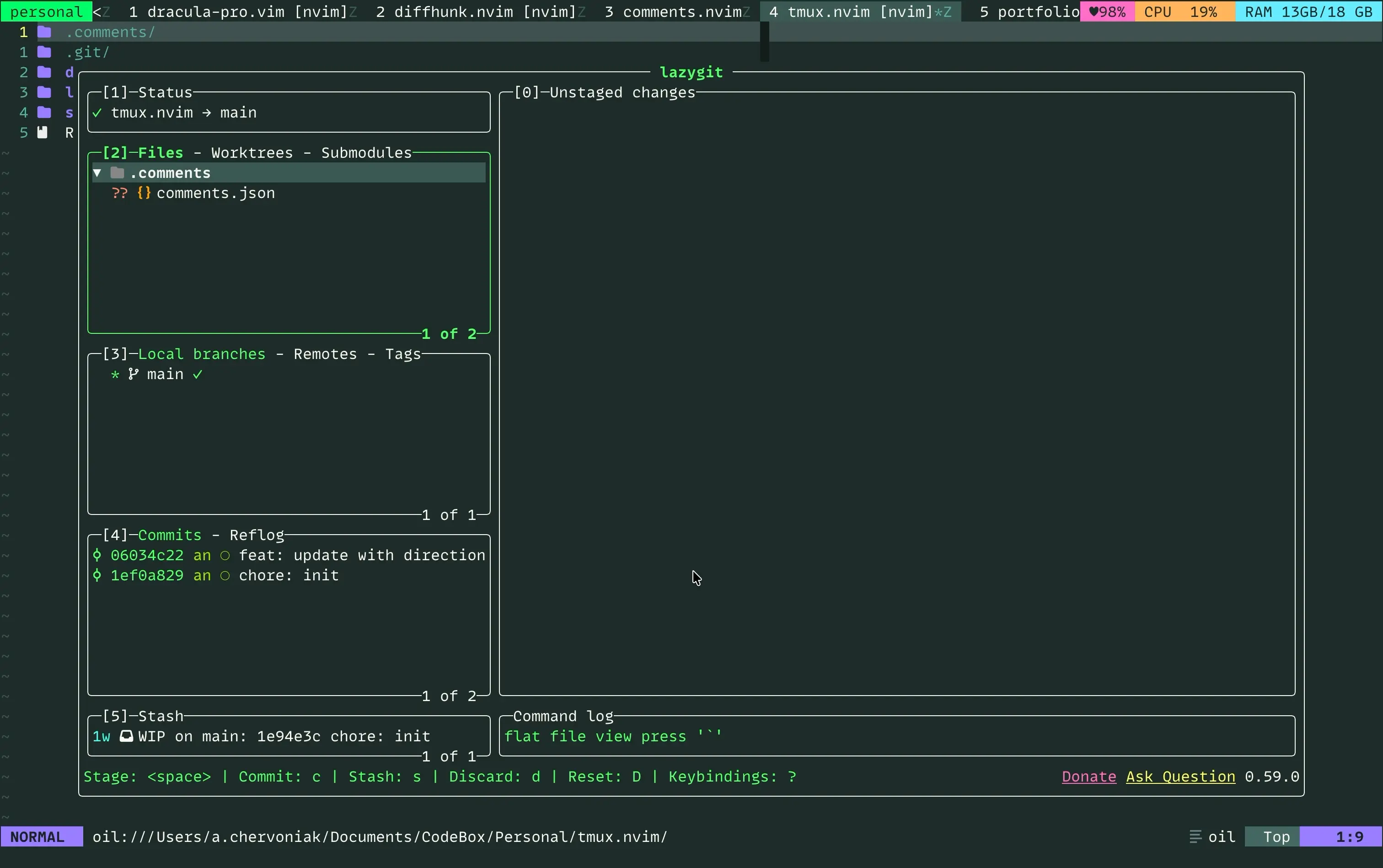
I made three screenshots because this problem is easier to understand when you see the sequence.
lazygit is open inside Neovim, the tmux pane is zoomed, and this is the state I want to keep.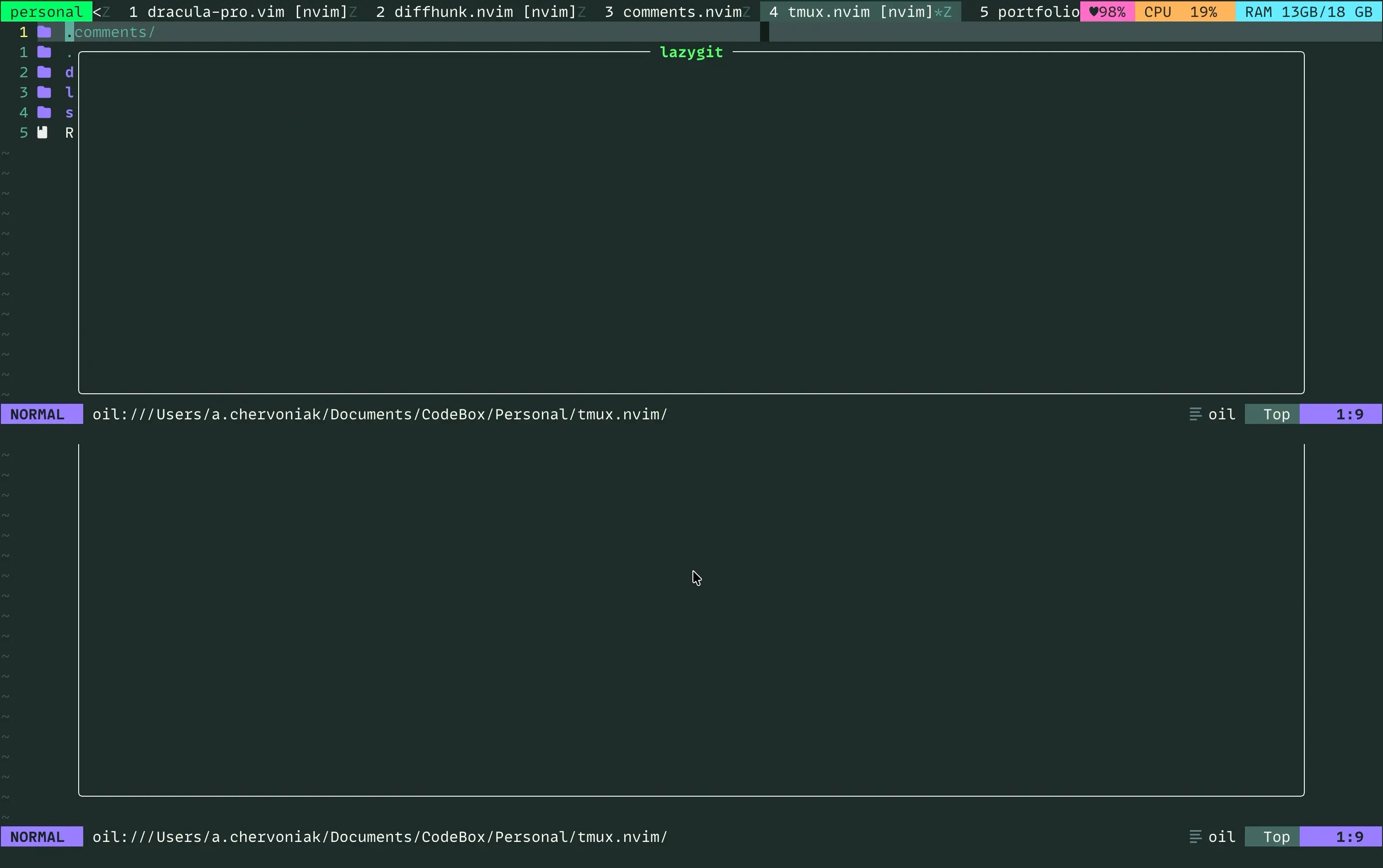
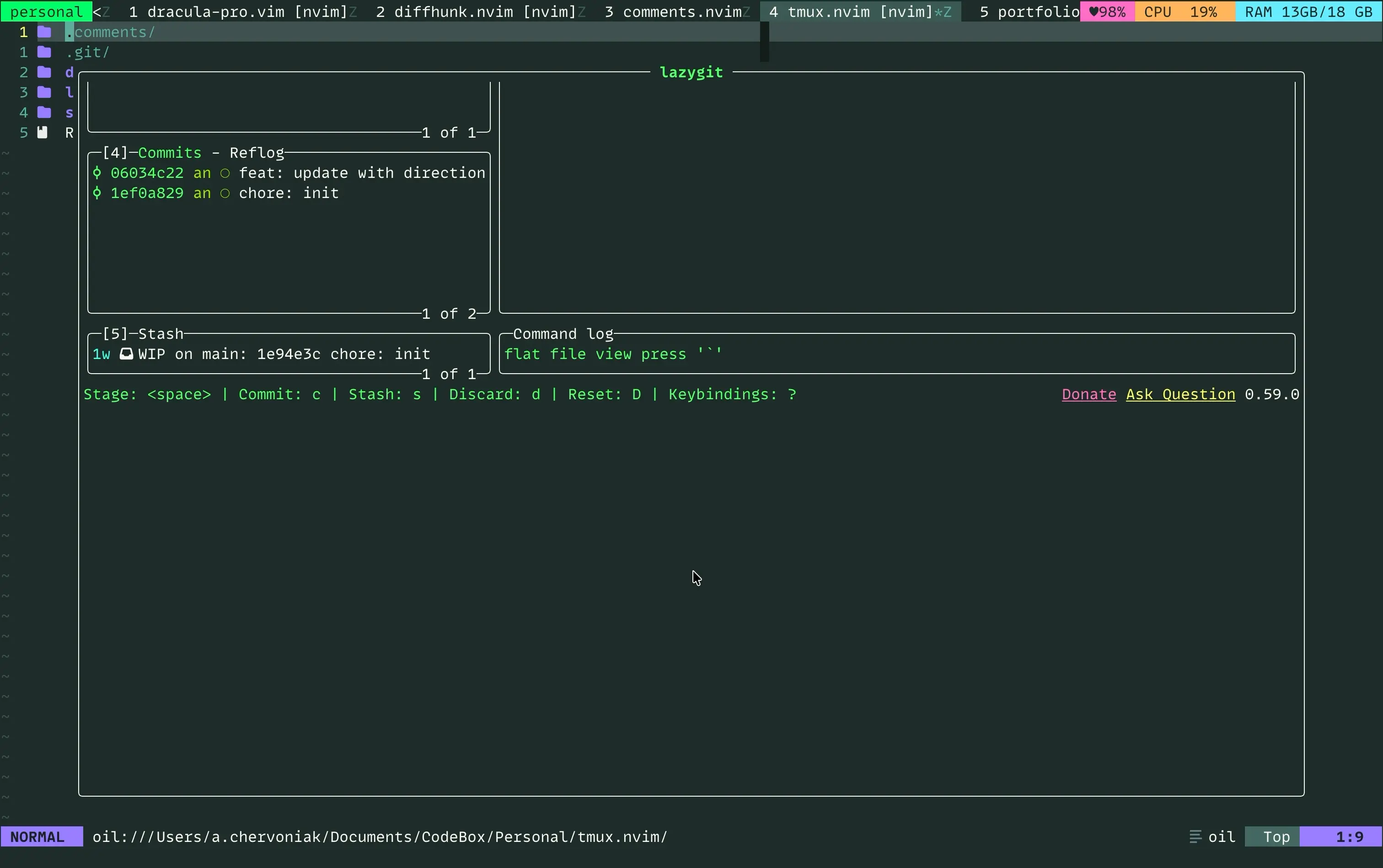
On paper, that sequence is tiny. In practice, it is enough to make the whole interaction feel shaky.
What was actually happening
The core issue shows up when tmux is handling navigation in a zoomed pane.
In the normal, unzoomed case, checking whether a pane exists in a direction works well enough. But in zoomed mode, tmux briefly unzooms the pane to evaluate the layout, then zooms it back. Usually this happens so fast that you don’t notice it.
Neovim notices it, though.
And when there’s a TUI running inside Neovim, that tiny resize event becomes much more obvious. Instead of a smooth transition, you get a visible redraw or glitchy moment because the application inside Neovim reacts to the resize.
That is exactly what the screenshots show: a normal zoomed view, a brief unzoom used only for checking, and then the UI coming back slightly disturbed.
It wasn’t catastrophic.
But it was uncomfortable in exactly the kind of workflow I use every day.
The problem with the obvious solution
My first instinct was to rely on tmux’s built-in pane checks.
Something like this: bind -n C-k if -F '#{pane_at_top}' '' 'select-pane -U'
That sounds reasonable, but it breaks in zoom mode.
When a pane is zoomed, it temporarily fills the whole window, so tmux reports all the pane_at_* flags as true. From tmux’s point of view, you’re at every edge at once. That means navigation gets blocked completely while zoomed.
So the naive fix wasn’t enough.
The workaround that technically worked
The next idea was:
- unzoom the pane
- check whether a neighboring pane exists
- navigate if it does
- zoom back if it doesn’t
That solved the correctness problem, but introduced the visual one even more clearly.
Those zoom/unzoom operations trigger resize events. Neovim reacts to them. TUIs inside Neovim react to them too. So even if the logic was correct, the experience still felt wrong.
And that was the whole point.
I didn’t just want correct pane navigation. I wanted pane navigation that didn’t mess with the UI.
The approach that finally worked
The solution was to stop relying on resize-based checks entirely.
Instead of asking tmux questions that depend on the current visible geometry, tmux.nvim checks the saved window layout directly through #{window_layout}. That layout stays stable even in zoom mode, which means I can determine whether a pane exists in a given direction without forcing tmux to resize anything.
So the plugin handles two things:
- navigation
- checking whether a pane exists in a direction
And it does both without resizing panes first.
That was the missing piece.
Why this became a plugin
At first, this was just me trying to fix an annoying part of my own setup.
But the more I looked at it, the more it felt like a real gap between tmux and Neovim workflows. If you spend a lot of time moving between tmux panes and Neovim splits — especially if you run TUIs inside Neovim — these little glitches add up.
tmux.nvim came from wanting that experience to feel boring in the best possible way.
- No flicker.
- No weird redraws.
- No brief zoom/unzoom dance.
- Just navigation that behaves the way I expect.
The bigger lesson
I like problems like this because they’re small on paper.
Nothing crashes. Nothing is technically unusable. The system works.
But a tiny visual glitch in a workflow you repeat hundreds of times a day becomes real friction. And sometimes the best tools come from fixing that kind of friction — not because the bug is dramatic, but because the discomfort is persistent.
That’s why I built tmux.nvim.
Not to invent a new way to navigate panes.
Just to make the existing way feel right.